Asphalt EyeCar Dashcam

Turn Your iPhone Into a Dashcam

Turns your iPhone into a dash camera. After an accident, a damage dispute or a traffic fine, you have a recording you can use as evidence.

Coming soon to the App Store · iPhone, iOS 26 or later
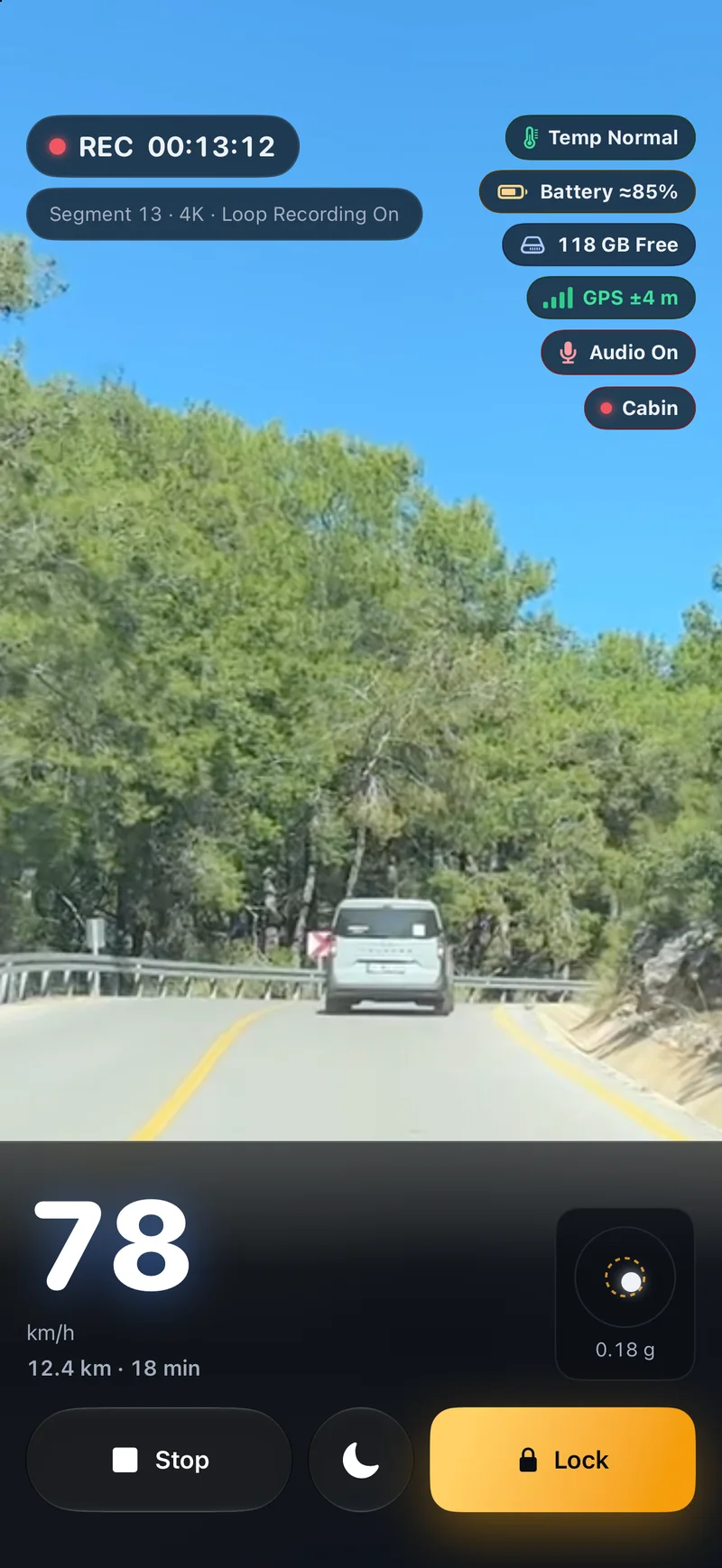
Recording screen: camera view, speed and lock button

Recording

Tap Start Recording

Put the phone in a mount and tap Start Recording. The app does the rest.

Loop Recording

When storage fills up, the oldest videos are deleted. Locked clips are never deleted.

Short Loop

When on, only the last 2 minutes of video are kept. Many European countries require this for dashcams.

Stamped on Every Frame

Date, time, speed and location stamped on every frame.

4K and cabin camera are Premium.

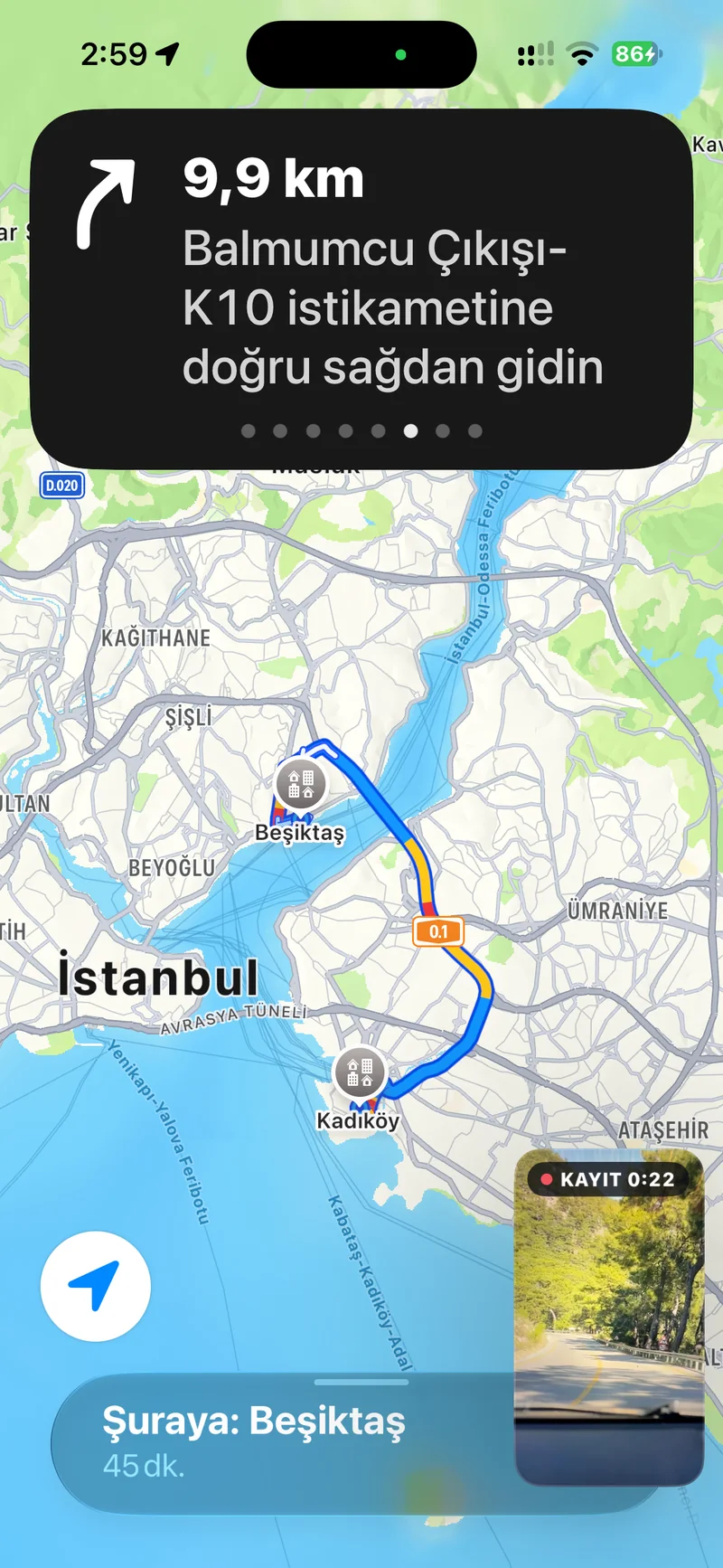
Background Recording

Keep Recording With Navigation Open

Leave the app and the camera keeps running in a small window.

Premium

Recording continues in a small window while navigation is open

Events

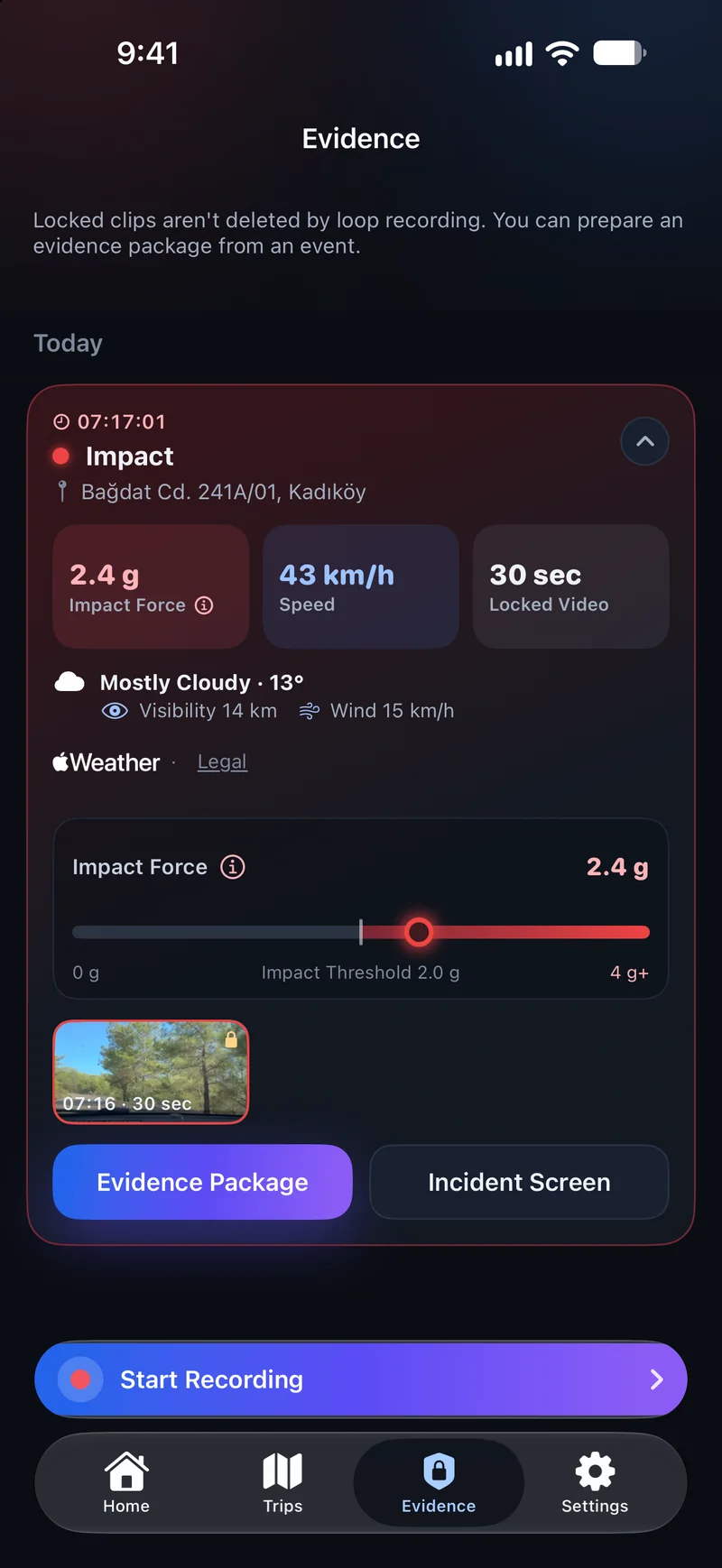
The Moment Gets Locked

While the phone is in a mount, hard braking, rapid acceleration, sharp turns and impacts are detected. The video of the moment is locked. Loop recording won't delete it.

Evidence screen: locked event clips

Evidence Package

Clip, PDF report, measurement data and SHA-256 fingerprints of the files, in one package.

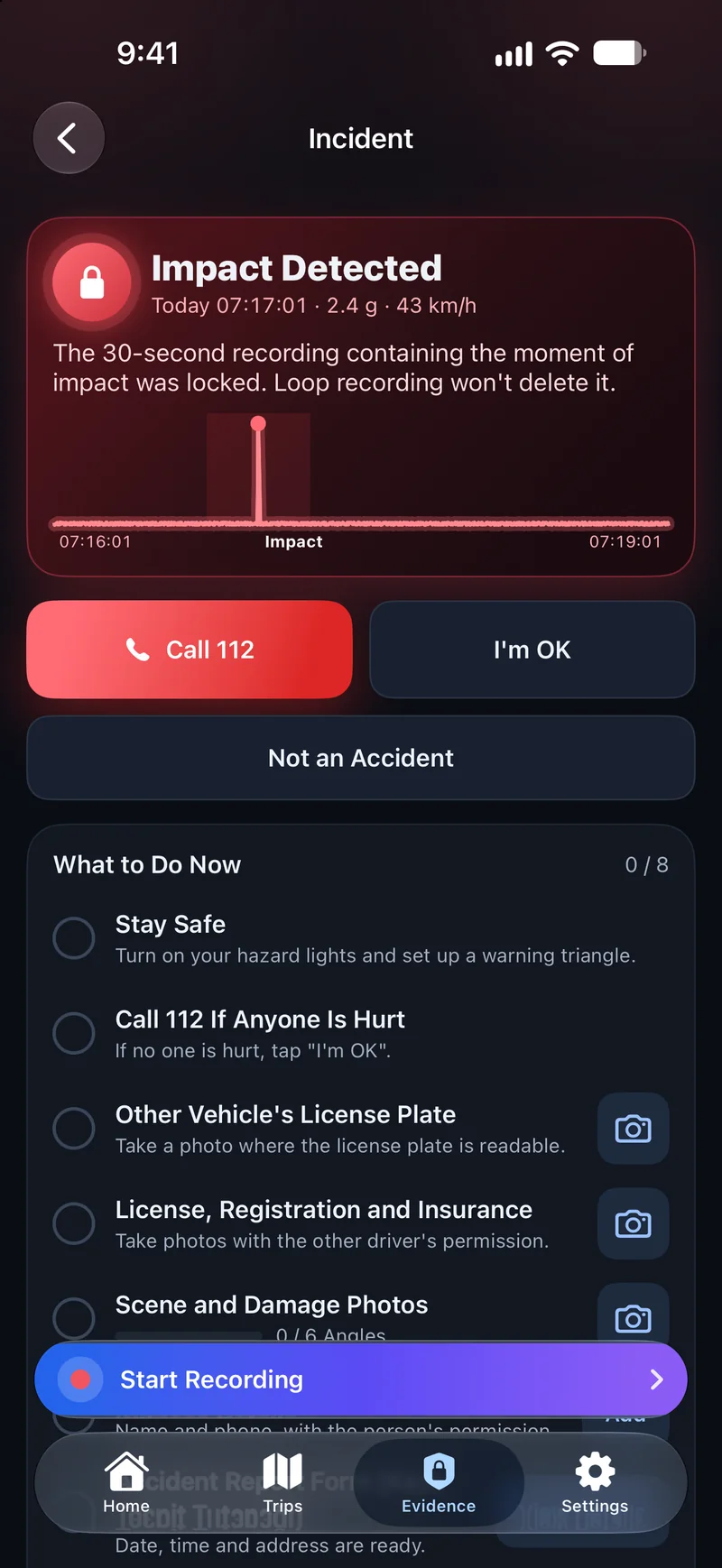
Incident screen: checklist and quick actions

Know What to Do After an Impact

Checklist, photos, witness details and evidence package on one screen.

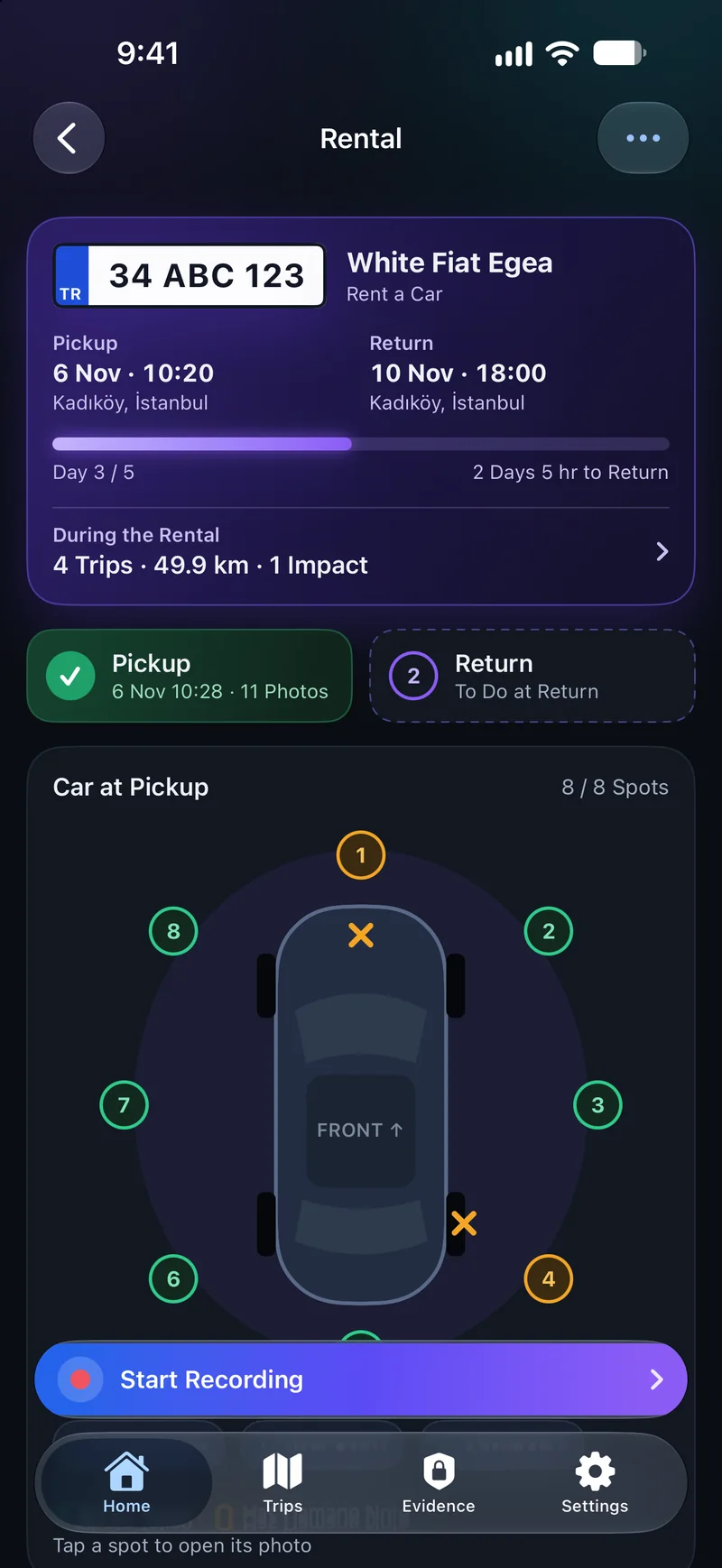
Rental Mode

Photograph Your Rental First

A guided photo walkaround at pickup and return.

Pickup and return photos side by side, so new damage stands out.

Report sharing is Premium.

Rental mode: pickup photo walkaround

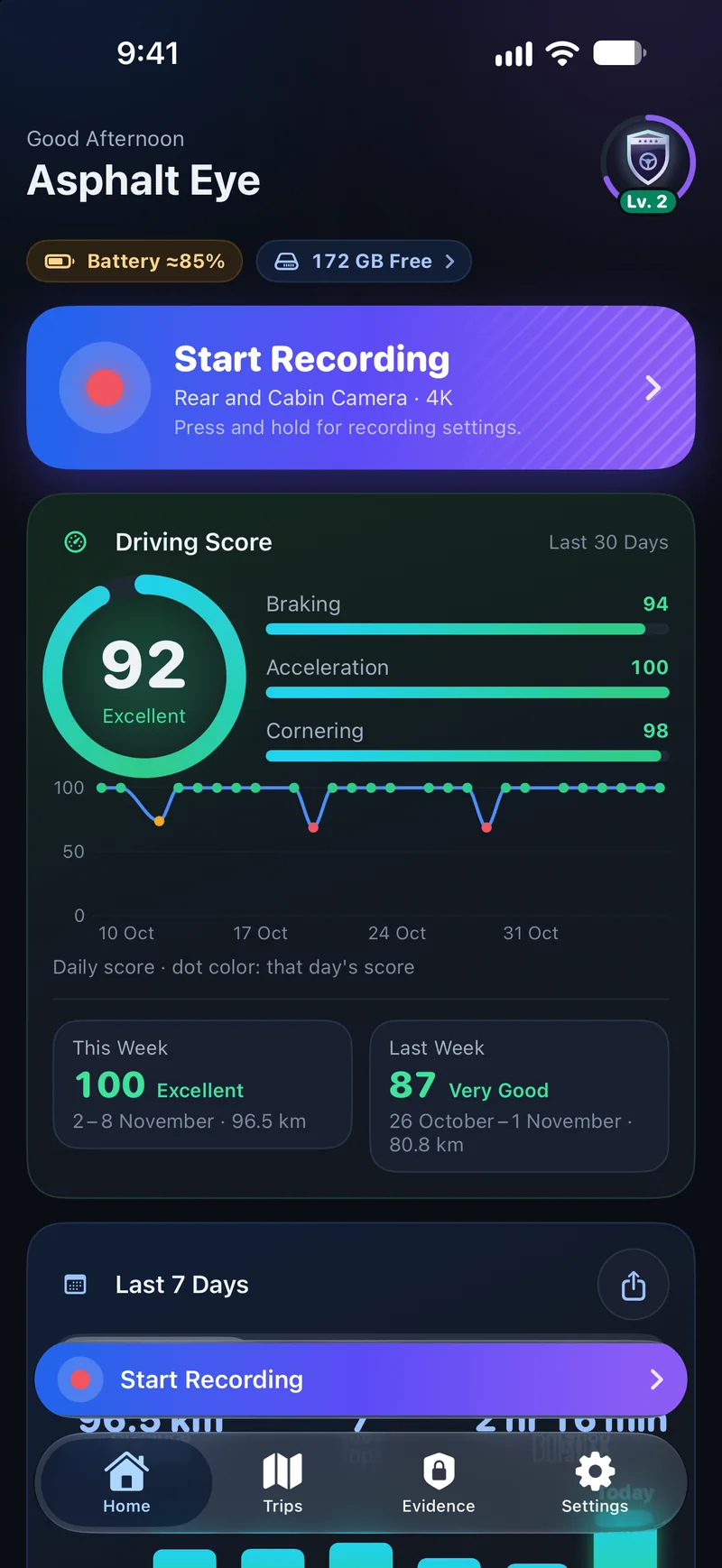
Driving Score

How Well Do You Drive?

A score from 0 to 100 based on braking, acceleration and cornering. You can turn it off.

Home screen: Driving Score and weekly summary

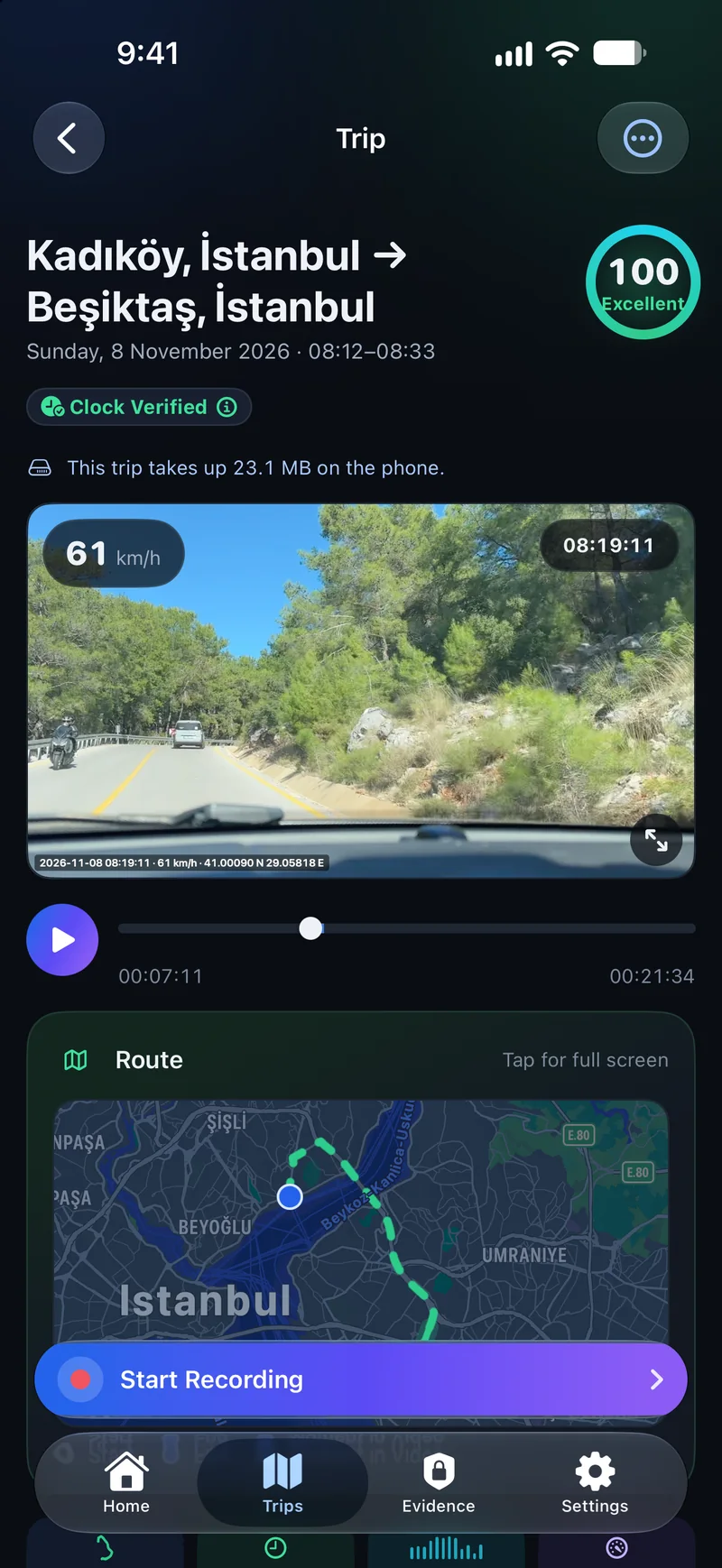
Trips

Every Trip on the Map

Route, speed chart and events. Driving Score if you want it.

Trip details: route, video and charts

Trip Details

Every trip on a map, with speed and G-force charts.

If you forget to open the app, Auto Trips still records your route without video.

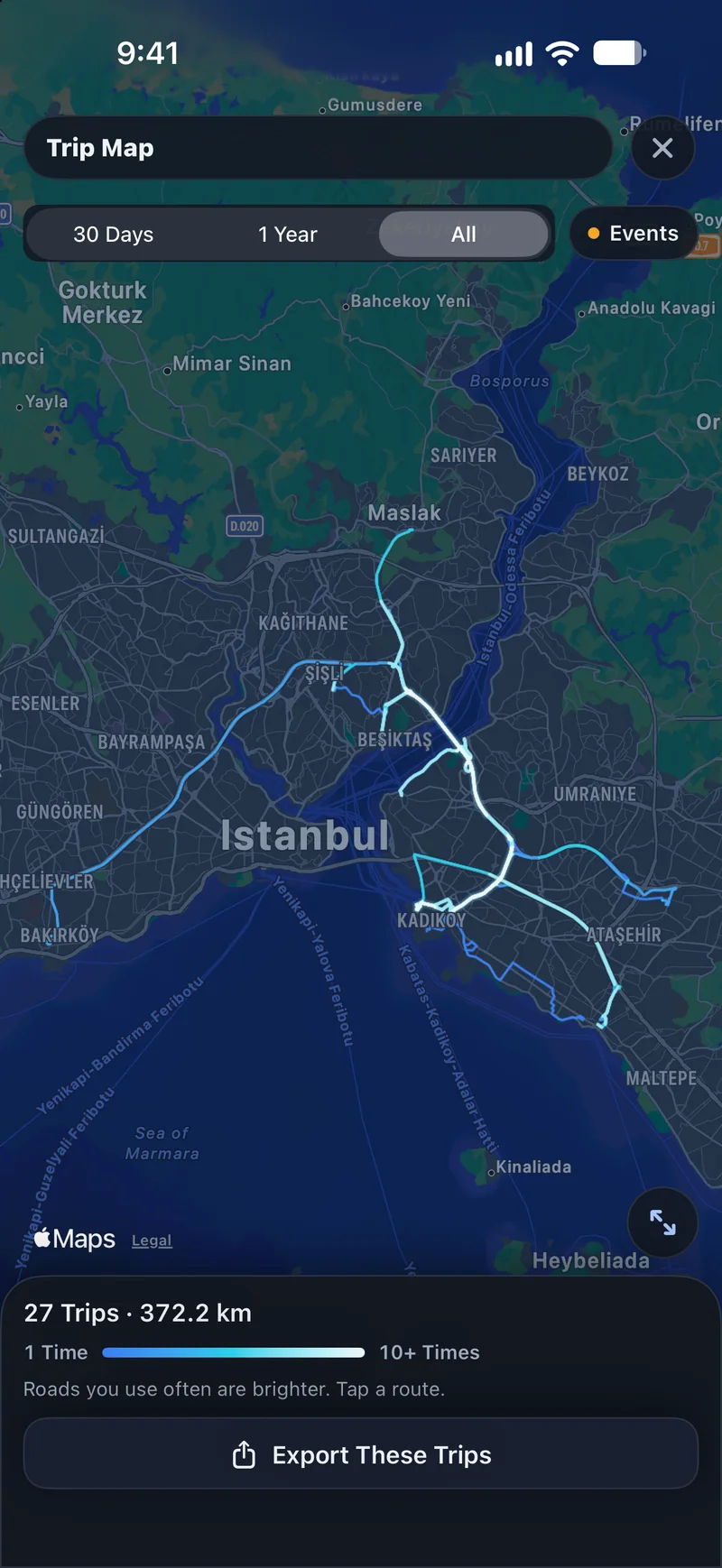
Trip map: all your trips on one map

All Your Trips on One Map

The roads you use most glow brighter.

Last 30 days free, all trips with Premium.

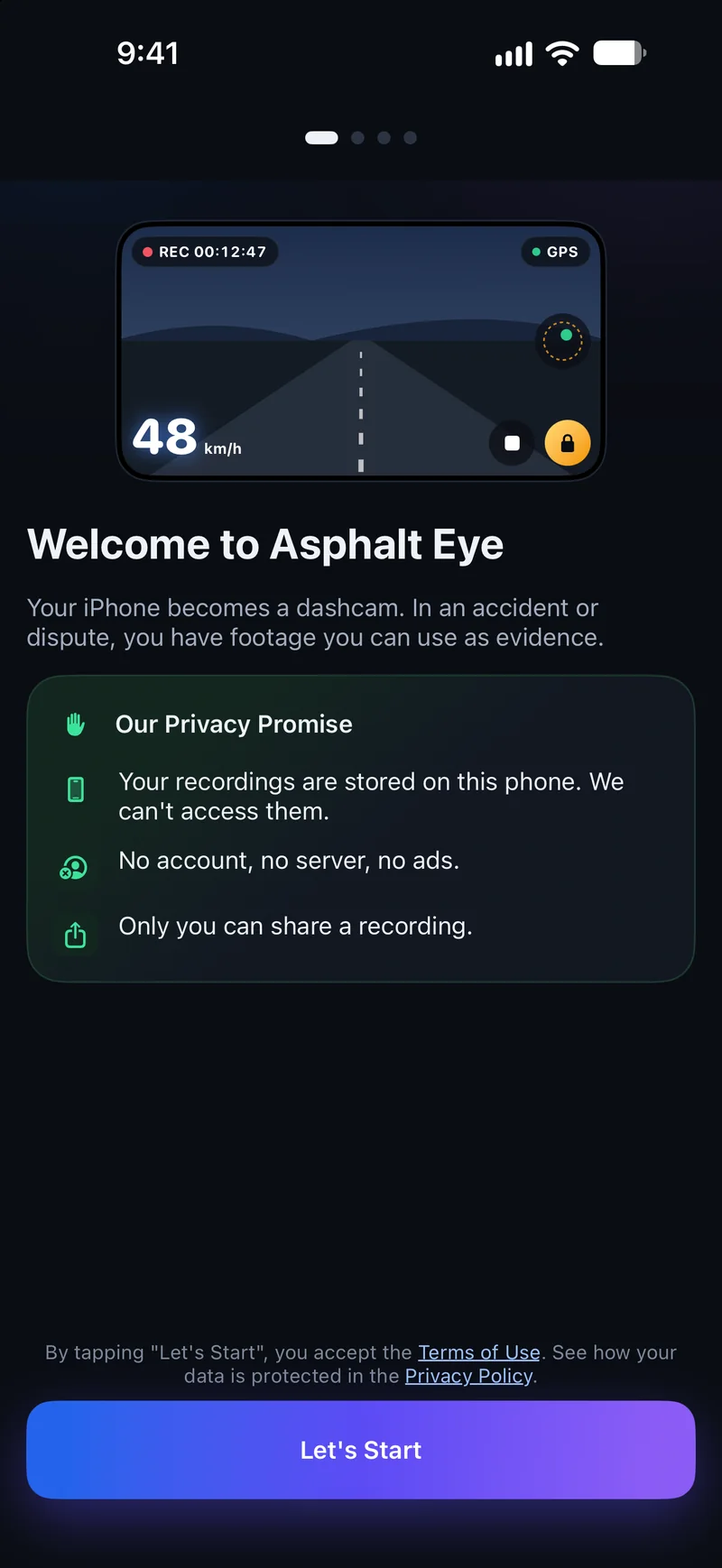
Privacy

Your Recordings Stay Yours

Your location, video and audio recordings are stored on your phone. They're never sent to us.

Only you can share a recording.

  • No account
  • No server
  • No ads

Outside Türkiye, if you turn on Recording Vault, locked clips and trips are also backed up to your own iCloud account.

Privacy Policy

First onboarding page: Our Privacy Promise

Premium

Recording during navigation, the cabin camera, 4K recording, rental report sharing and more are part of Premium.

  • Recording during navigation
  • Cabin camera
  • 4K recording
  • Rental report sharing

Premium is available with Premium Yearly, Premium Lifetime or a 30-day Travel Pass.

  • Premium Yearly
  • Premium Lifetime
  • 30-day Travel Pass

Don't touch the phone while driving. The app isn't an emergency service. It doesn't call anyone automatically and may not detect every collision.